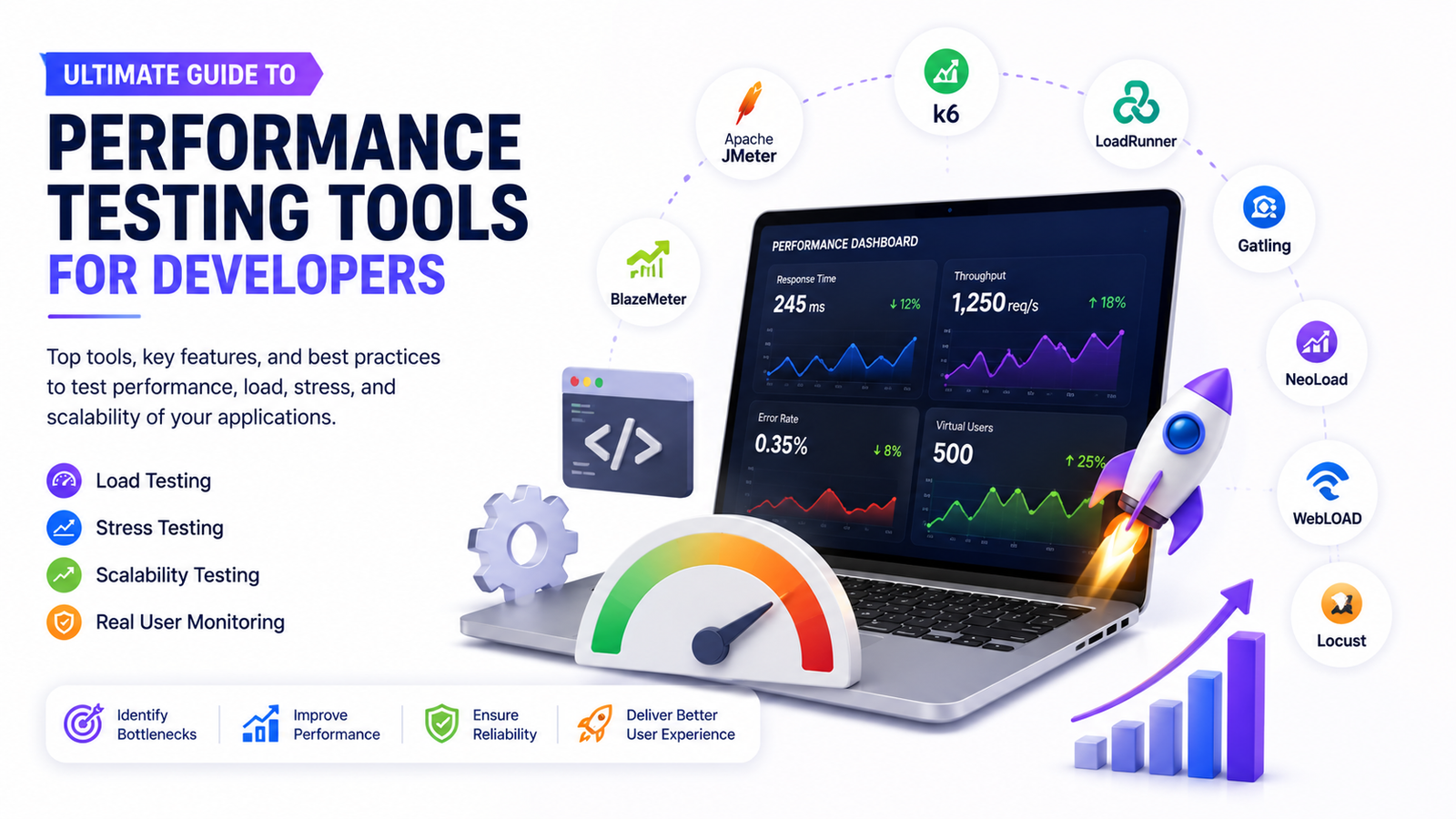
Ultimate Guide to Performance Testing Tools for Developers
First impressions count. Sometimes a website only has a couple of seconds to impress a user. If a website does not load quickly, or if forms fail, or if the website crashes during traffic surges, the potential customers will likely choose a competitor. Performance testing tools are now a necessary part of website development services. These tools let developers find performance issues before users find them. This ensures the website can stay fast, secure, and can be relied upon. Here at Ranks Growth, we integrate our performance testing at all development stages because we believe that the first step to a great digital experience is strong performance.
What Is Performance Testing?
Performance testing focuses on how a website or web apps respond to different capacities of user engagement. Performance testing focuses on the reliability and responsiveness of a feature and how it is affected by user engagement.
What is even more frustrating is when a feature is broken. Services such as custom web development, CMS website development, or API integration services focus on solving customers’ pain points, and performance testing is critical for guaranteeing that focus is preserved.
Why Should Business Owners Care About Performance Testing?
An attractive website is not enough to ensure success. Visitors to a website that is slow or unhappy will not return.
Performance testing helps companies:
- Make their website faster and more responsive
- Provide a better experience for customers
- Make customers feel more confident
- Decrease the risk of website downtime during heavy traffic
- Improve performance on search engines
- Create a better conversion rate
- Preserve their brand reputation
- Get ready for website growth in the future
Value testing takes away the risks businesses face and improves the business value of a website.
Types of Performance Testing Every Business Should Know
Different tests show different parts of the performance of your business’s website.
Load Testing
Load testing shows website performance under expected normal traffic. You can use load testing to find if your website can support daily traffic without performance issues.
Best for:
- Business websites
- E-commerce stores
- Customer portals
Stress Testing
Stress testing purposely pushes a website past normal limits to find breaking points and assess recovery.
This type of testing is best for business activities that involve large customer interaction like marketing campaigns, product launches, and seasonal sales.
Scalability Testing
When businesses grow, so does website traffic. Scalability testing shows if your website can handle greater traffic without performance issues.
This testing type is vital for businesses that plan to grow long-term.
Endurance Testing
Performance issues can show if your website is used continuously for long periods.
Endurance testing shows if a website’s performance is stable for long periods of time to help developers find memory leaks or resource shortages.
Spike Testing
With a business campaign, sales, or flashes to popularity, website traffic may increase all at once, not gradually.
Spike testing shows how a website is able to handle traffic surges even if it is unexpected.
Top Performance Testing Tools Developers Trust
Professional developers use great performance testing tools to create trustworthy websites. These are some of the most popular tools.
1. Apache JMeter
Apache JMeter is an open-source performance testing tool that is popular for testing performance. It is able to simulate thousands of concurrent users to help identify issues before actual customers encounter them.
Best For:
- Load testing
- Web apps
- Evaluating API performance
- Simulating high-volume user traffic
Load testing tools are often a crucial part of custom web development and complex business website projects.
2. LoadRunner
LoadRunner is an enterprise-level performance testing tool.
It is useful for checking how business applications perform at scale.
LoadRunner is useful for checking the performance of complex digital business solutions before going live.
3. K6
k6 is a modern load testing tool and is particularly useful for performance testing during the development process.
Instead of having to wait for the launch to conduct performance testing, developers can address a performance problem much sooner with k6.
4. Gatling
Gatling is great for testing web applications and includes superb performance dashboards.
Gatling is great for assessing web application performance and testing the responsiveness of web applications.
5. BlazeMeter
BlazeMeter enables businesses to perform tests that would typically require a large investment in load testing infrastructure.
BlazeMeter is useful for businesses that are anticipating testing web applications for large user bases because of impressive or anticipated business growth.
6. Locust
Locust is great for simulating how web application users would interact with a particular feature under a large user load or web traffic.
7. Google Lighthouse
Google Lighthouse is for testing web application performance as well as Accessibility, SEO, and Core Web Vitals.
Google Lighthouse is a great web application performance testing tool that suggests performance testing improvements for web apps that would enhance user experience or improve search engine ranking and visibility.
Quick Comparison of Popular Performance Testing Tools
| Tool | Primary Purpose |
Ideal For |
| Apache JMeter | Load Testing | Custom Web Applications |
| LoadRunner | Enterprise Performance Testing | Large Business Platforms |
| k6 | Continuous Testing | Agile Development Teams |
| Gatling | High-Traffic Simulation | SaaS & Business Applications |
| BlazeMeter | Cloud-Based Testing | Growing Businesses |
| Locust | User Behavior Simulation | Custom Applications |
| Google Lighthouse | Website Speed & SEO | All Business Websites |
Signs Your Website Needs Performance Testing
Many businesses do not know that website performance issues exist until they start to get complaints.
Some of the most common things to notice are:
- Web pages load in over 3 seconds.
- Web traffic causes performance issues.
- Web page forms and shopping carts are abandoned by users.
- Web requests are slow.
- Search engine rankings are decreasing.
- Core Web Vitals are lacking.
- Content Management System (CMS) plugins slow your web page.
- Your website goes down during peak traffic times.
If you see any of these signs, it is a good idea to test your website’s performance.
Why Performance Testing Matters for Different Development Services
Custom Web Development
Custom websites are built with custom functionality that needs to be tested.
Performance testing helps to analyze new features like custom dashboards, booking systems, web payment systems, user/customer portals, and business automation, and ensures that they are performed under real-world scenarios.
Secure Web Development
Website security should enhance your website, not slow it down.
Real secure web development combines security and high-performance testing of secure user sessions, payment systems, and tested web sessions and communications.
API Integration Services
Today’s businesses use a lot of different third-party services for things like payments, customers, marketing automation, analytics, inventory, and even shipping.
Reliable API Integration Services require testing so that all of the integrated systems can continue to work and respond to users, no matter how many users are making requests.
Testing helps to identify:
- Slow API Responses
- Integration delays
- Connection issues
- Data sync issues
- High-volume transaction issues
CMS Website Development
CMS Website Development is popular because it makes managing a website easier.
CMS Website Development can use plugins, themes, a media library, or third-party services that may slow your website down over time.
Performance testing helps developers optimize various areas, including:
- Database performance
- Plugin efficiency
- Page loading speed
- Content delivery
- Website responsiveness
This makes sure websites perform well as content continues to grow.
Common Performance Testing Myths
Myth: Only large businesses need performance testing.
Reality: Small and medium-sized businesses can lose valuable customers just as quickly due to slow websites.
Myth: Performance testing is only required before launch.
Reality: Every update, plugin, API integration, or new feature can affect website performance.
Myth: A fast homepage means the entire website performs well.
Reality: Checkout pages, contact forms, dashboards, search functions, and APIs often experience completely different performance challenges.
Why Choose Ranks Growth for Website Development Services?
Performance testing should not be considered a final step. It should be included as part of the entire development process.
That’s exactly the kind of testing we do at Ranks Growth. In every single one of our services, performance testing is part of the process. Our custom web development, secure web development, CMS web development, and API integration services are focused on developing web solutions our clients can rely on. Our solutions are affordable, flexible, secure, and fast. We take business growth seriously.
When we combine the best testing tools in the industry with our development tools, we allow our clients to launch online tools that their clients will find valuable.
Conclusion
A business website’s design means nothing if it cannot perform the core functionality that customers need. The tools we use allow our clients to better optimize their web solutions to grow their business with confidence that their customers will have a wonderful and secure user experience.
Using any combination of the many services we provide at Ranks Growth, such as custom web development or API integration services, and adding comprehensive performance testing, is one of the best investments you can make for your business. We leverage advanced performance testing tools as part of our professional website development services and build our websites to ensure that they provide users with the experience they expect, improve search engine results, and offer businesses enduring value.
FAQs
1. What is the best performance testing tool for web applications?
The best tool depends on your project requirements. Apache JMeter, k6, LoadRunner, and Google Lighthouse are among the most widely used tools for testing website speed, scalability, APIs, and overall performance. A professional development team can recommend the right solution based on your business goals.
2. Why is performance testing important before launching a website?
Performance testing identifies speed, stability, and scalability issues before customers experience them. It helps prevent slow-loading pages, website crashes, and poor user experiences that can negatively impact SEO rankings and conversions.
3. Does performance testing improve SEO and Google rankings?
Performance testing improves website speed, Core Web Vitals, and user experience, which are important SEO ranking factors. While it doesn’t directly increase rankings, it supports better search visibility by creating a faster and more reliable website.
4. How often should a business perform website performance testing?
Performance testing should be carried out before launch and after major updates, plugin installations, API integrations, or website redesigns. Regular testing helps maintain consistent performance as your website grows.
5. Can performance testing improve API performance and website security?
Yes. Performance testing identifies slow API responses, system bottlenecks, and resource limitations while ensuring security features do not reduce website speed. This results in faster, more secure, and more reliable web applications.