How to Build an SEO-Friendly WordPress Site from Scratch
Searching for an ideal site that pleases customers and search engines? Look no further; this is it. An SEO-friendly WordPress site is for everyone, local service providers, and business owners. A high-quality website is a great investment. It not only converts your users to customers but also increases organic site traffic. At Ranks Growth, we combine user experience on the websites we build with modern SEO. This guide gives you a simple step-by-step method you need to build a WordPress site with SEO from scratch.
Understanding WordPress and SEO Basics
WordPress is a CMS that is accessible to many due to its easy-to-use interface and broad flexibility to house any design or function. WordPress runs a simple website to a large eCommerce hub. Since millions of businesses utilize WordPress, it is likely that you have visited one of the many websites hosted and run by WordPress.
Search Engine Optimization, or SEO, is the practice of helping search engines better understand your website. The better you optimize your website for SEO, the more visitors you will gain because your website will appear for more relevant queries.
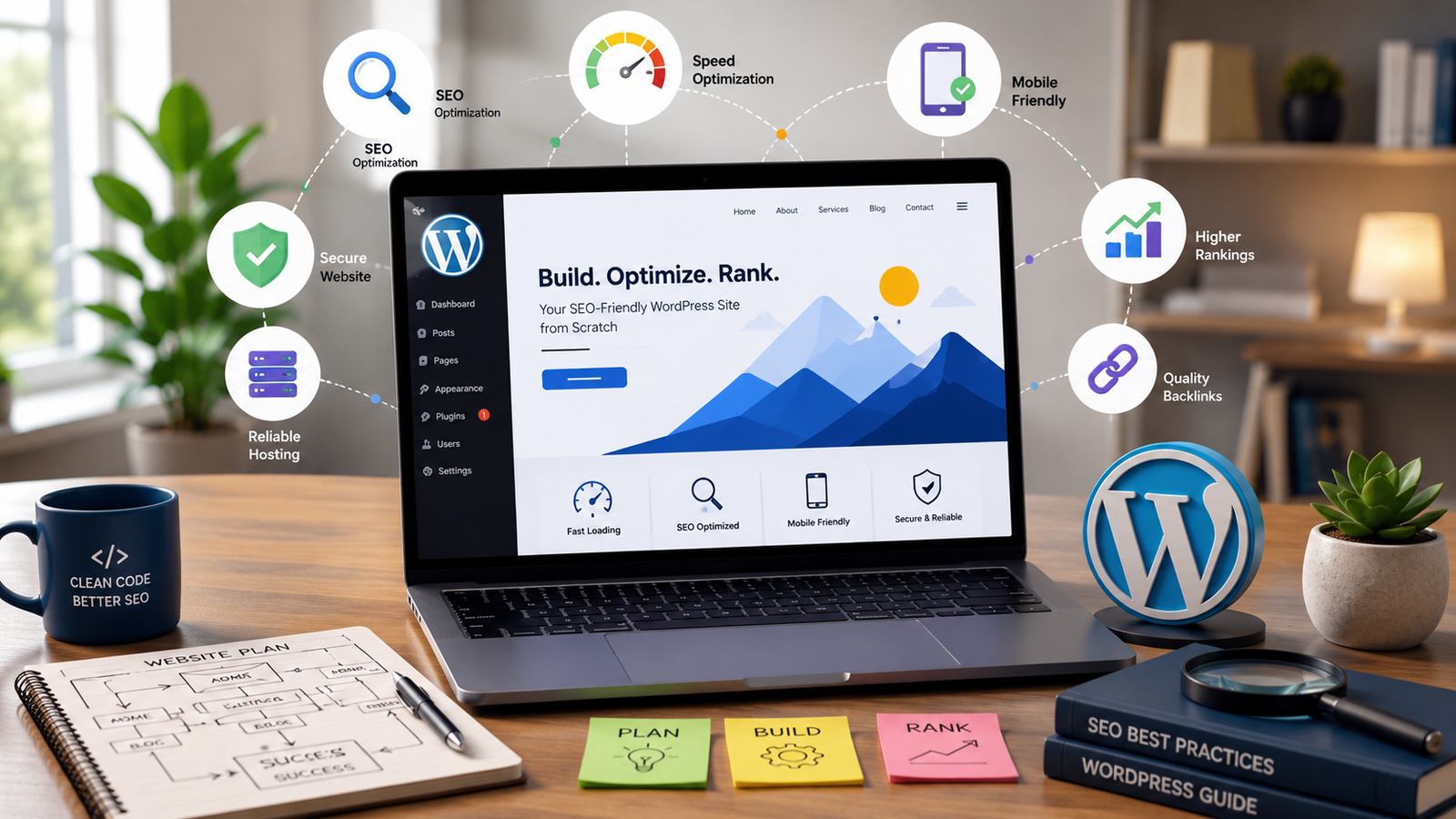
There are many factors to effective SEO. Some of the most important are:
- Website structure
- Fast loading pages
- Mobile friendly
- Quality, relevant content
- Internal links
- Safe & secure (HTTPS)
- Optimized images and metadata
Investing in SEO at the beginning of your site design will pay off by saving you a lot of time and effort in the long term.
Choose the Right Domain Name and Hosting
Branding your site is as easy as selecting a domain name that tells people what your brand is and is easy to remember. Keep your domain name as short as possible (a long one will only be more confusing). Avoid using special characters or numbers.
Your hosting should provide a fast server because slow, poor-quality hosting directly affects search rankings and user experience.
Good hosting will have:
- Daily Backups
- Fast SSD storage
- High Uptime Reliability
- Free SSL Certificate
- Great Customer Service
- A Content Delivery Network (CDN)
- Automatic WordPress Updates
Hosting that is safe, fast, and reliable will help your SEO from the start!
Install WordPress and Configure Essential Settings
Most hosting providers offer one-click WordPress installation.
After installation, configure these important settings:
Update Your Site Title and Tagline
Choose a descriptive website title and tagline that represent your business.
Configure SEO-Friendly Permalinks
Go to Settings → Permalinks and choose the “Post Name” structure. Clean URLs are easier for users and search engines to understand.
Example:
yourwebsite.com/seo-friendly-wordpress-site
instead of
yourwebsite.com/?p=123
Delete Default Content
Remove sample posts, pages, and plugins that come pre-installed.
Set Up Basic Pages
Create essential pages such as:
- Home
- About
- Services
- Contact
- Privacy Policy
These pages improve website trust and navigation.
Select a Lightweight and SEO-Friendly Theme
Having a good WordPress theme is important for your users and your SEO.
Look for themes that are:
- Mobile friendly
- Light weight
- Frequently updated
- SEO friendly
- Plugin friendly
Avoid themes that have a lot of animations and extra features. They will slow your site down.
For more brand customization and features tailored to your business, a custom WordPress site pays for itself in flexibility, performance, and experience for your customers. Custom sites also are more developer friendly for SEO updates.
Install Essential WordPress Plugins
Plugins are used to add features to WordPress sites, but too many will make your site slow.
A few of the main plugins that you will want to add are as follows.
SEO Plugin
Install either Yoast SEO or Rank Math to manage:
- Meta titles
- Meta descriptions
- XML sitemaps
- Schema markup
- Social media previews
Security Plugin
- To keep your website safe, install security plugins that track and prevent malware and attacks, as well as secure your login pages.
Backup Plugin
- To prevent loss of data and information on your website, Backups should be automated.
Performance Plugin
- Load speed and Core Web Vitals will improve dramatically with a Caching plugin.
USE ONLY plugins that are reliable and updated often.
Optimize Every Page for Search Engines
The purpose of on-page SEO is to provide a thorough explanation to search engines of what each page provides.
Write Optimized Titles
- The primary keyword should be included in a unique title for every page.
Create Compelling Meta Descriptions
- A listing in a search result with a clear meta description receives a higher click-through rate.
Use Proper Heading Structure
Organize content using:
- H1 for the page title
- H2 for main sections
- H3 for supporting topics
This improves readability and SEO.
Enhance Your Page with Optimized Images
Prior to image uploads:
- Ensure file size is small
- File Name is Relevant
- Add Alt Text
Place Keywords with Proper Usage
- Search engines prefer content over a keyword list. Use your keyword in a relevant context.
Link to Related Pages
- Make an attempt to relate the content of every page to assist visitors. This also helps the search engine discover every page on your site.
Develop a Content Strategy That Builds Authority
The best type of SEO is consistent content. This is one reason why people say the best form of marketing is content marketing.
You can get a head start on your SEO journey by understanding your audience. Consider the questions they are asking. The answers to these problems can be in different formats: blogs, guides, FAQs, service pages, etc.
Valuable content is:
- Helpful
- Original
- Easy to understand
- Updated regularly
- Relevant to your audience
Valuable content is nice, but timing is key. The more frequently you publish content, the more search engines are likely to notice.
While you are still learning how to optimize your WordPress site for SEO, you may notice that quality content on your site creates a greater impact and more business than any paid advertisement. At Ranks Growth, we consider user intent as well as optimizing for the Answer Engine and the Generative Engine to keep businesses in the evolving search game.
Focus on Technical SEO
How does your site stack up for users and for search engines? That is the focus of Technical SEO.
WordPress Speed Optimization
Site speed impacts your ranking (and does so with users and conversions, too). To speed up WordPress, you can…
- Activate browser caching
- Compress images
- Minify CSS and JavaScript
- Lazy load
- Remove unused plugins
- Leverage a CDN
- Optimize your database
A speedy site keeps visitors engaged and scores higher on Core Web Vitals.
Mobile Responsive Design
Mobile searches are now the dominant form of search. Your site needs to easily adjust to all screen sizes.
Also, keep functionality in mind. Navigation should be simple. Ensure your site keeps an adjustable font and quick loading times.
Logical Site Structure
The organization of your site can help users and search engines (spiders) determine which sections contain the most important information.
This is aided by clear categories and an intuitive menu.
SSL Certificate
HTTPS offers a site security benefit, and, of course, data security is important. It is a ranking signal from Google, too. Look for a hosting service that gives free SSL Certificates for a site security boost.
Build Authority Beyond Your Website
SEO is also a result of factors outside of your own site.
Building high-quality backlinks, actively managing your business listings, and reviews from satisfied customers is also important.
For local businesses, optimizing your business profile and having consistent contact information in the business directories is important. Having location-specific pages can be helpful as well.
SEO is a continuous process, and to ensure high results from the efforts put in, regular site updates, plugins, security, and site speed are critical to the success. Because of high demand, many businesses have opted for WordPress development services (outsourcing) for the security and speed of their WordPress sites.
Conclusion
Designing an SEO friendly WordPress site from the ground up calls for strategic planning paired with quality hosting, a lightweight theme, strong technical optimization, valuable content, and maintenance. With every step, site visibility, the user experience, and search rankings improve.
Whether it’s a brand-new business site or an upgraded one, focusing on SEO from the start is a valuable, long-lasting investment. Each service, ranging from custom WordPress website development to WordPress speed optimization and ongoing WordPress development services, all work to improve site performance.
We’re experts in high-performance websites at Ranks Growth. Our websites integrate design with SEO, AEO, and GEO strategies. If you want an SEO WordPress site that grows your business with more visitors, there’s no better way to do it than digging in with strong SEO.
FAQs
Why is an SEO-friendly WordPress site important for my business?
An SEO-friendly WordPress site helps your business rank higher on search engines, attract organic traffic, improve user experience, and generate more leads without relying solely on paid advertising.
How can I improve the speed of my WordPress website?
You can improve your website speed by using reliable hosting, enabling caching, compressing images, minimizing CSS and JavaScript files, using lazy loading, and implementing WordPress speed optimization best practices.
Do I need a custom WordPress website for better SEO?
Not always. A quality theme works well for many websites, but a custom WordPress website offers greater flexibility, faster performance, cleaner code, and a better user experience, all of which can support long-term SEO growth.
Why should I hire a WordPress maintenance agency?
A WordPress maintenance agency keeps your website secure, updated, backed up, and optimized for performance. Regular maintenance also helps prevent technical issues that could negatively affect your search engine rankings.