What Is a Technical SEO Audit? Checklist and Free Template
Overview
A technical SEO audit addresses the crawling, indexing, and ranking issues with your website. An effective systematic audit will bring to your attention internal linking issues, broken links, issues with page loading speeds, indexing issues, and duplicate content issues.
Our goal at Ranks Growth is to identify the bottlenecks to a client’s search performance, provide client-specific technical SEO strategies, and facilitate long-term sustainable growth.
Get a Free Quote
Want to discover what’s holding your website back? Ranks Growth can help you identify technical SEO problems and develop a clear action plan tailored to your business goals.
- Identify crawling and indexing problems.
- Improve page speed and website performance.
- Fix technical errors affecting search visibility.
- Build a prioritized SEO improvement roadmap.
Ready to improve your website’s search performance? Get a Free Quote from Ranks Growth.

Introduction
A website can invest time and money into great content, design, and products, and still not show up well on Google. One reason can be that the pages on the website are not accessible or are hard for search engines to understand and/or index.
Technical SEO audits evaluate the hidden aspects of a site that determine its search engine visibility. This helps businesses identify opportunities to improve before they adversely impact their traffic, user experience, and, ultimately, conversions.
While carrying out a technical SEO audit, the first barrier that most businesses encounter is a lack of understanding of what is required to implement the various aspects of the audit. However, with the right tools and a systematic approach, you can find and address numerous common SEO issues.
How to Perform a Technical SEO Audit: Checklist and Free Template
What Is a Technical SEO Audit?
A Technical SEO Audit looks at your website’s crawlability, indexability, architecture, performance, security, and other technical elements that influence search visibility. It looks at the supporting elements of on-page optimization, content, and links to identify issues that may negatively impact your website’s organic performance.
A technical SEO audit looks at your website to find out if pages that you think should be important to your business are properly crawled and indexed by the search engine, and if the search engine is able to understand their purpose. Are these important pages shown in the search results?
Why Is a Technical SEO Audit Important?
Audits can help businesses:
- Find indexing issues that keep pages from being displayed in Google.
- Address issues that impact usability and improve user experience across desktop and mobile devices.
- Find and fix broken links and redirects.
- Find and fix issues with website architecture.
- Improve Page Speed and Core Web Vitals.
Resolving these issues can positively impact your business’s website rankings in the search results, but improving rankings is not always guaranteed because other factors such as competition, relevance, and quality of content also come into play.
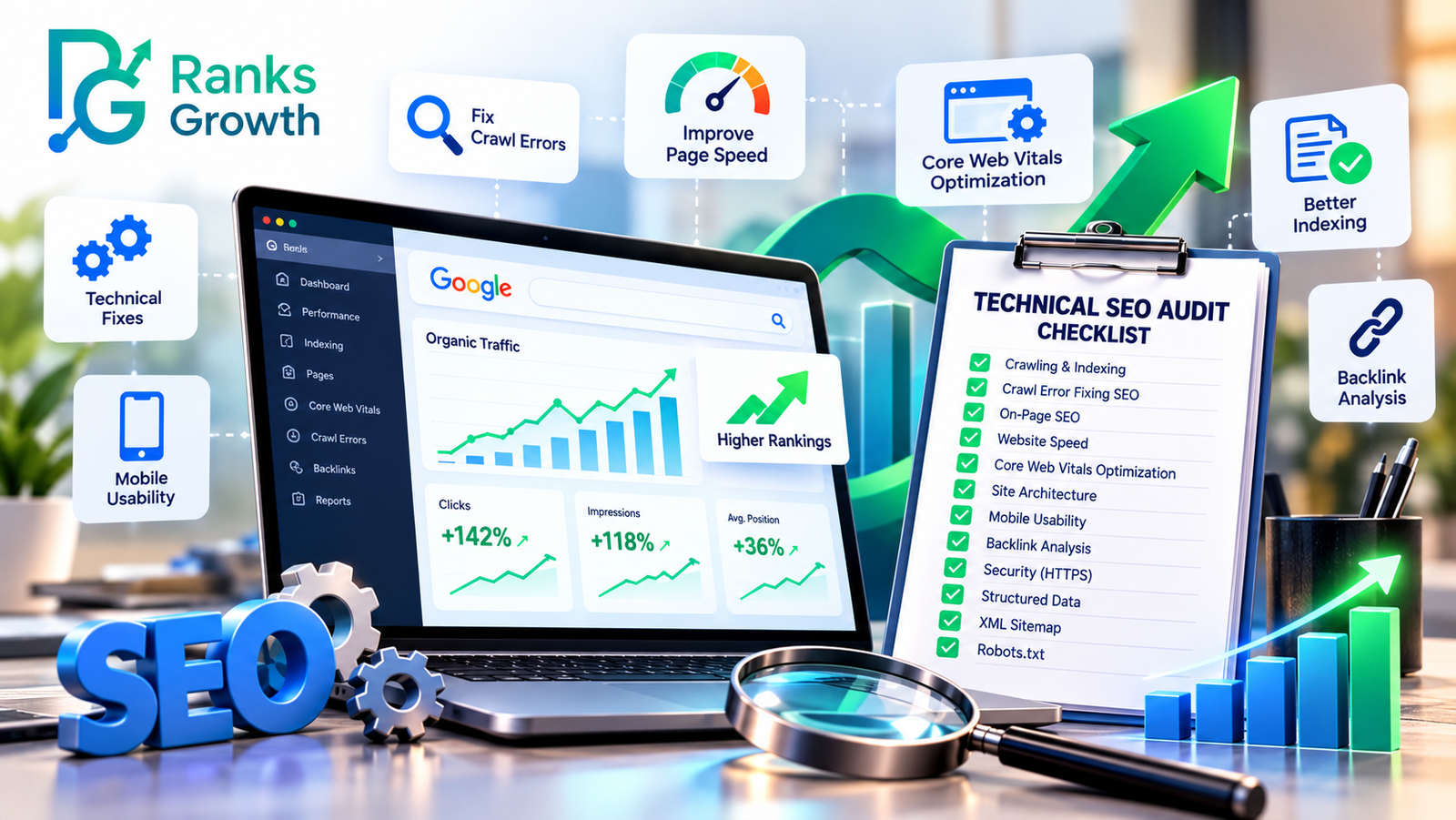
Step-by-Step Technical SEO Audit Checklist
Use the following checklist to review your site systematically.
1. Check Website Crawling and Indexing
Review your Google Search Console (GSC) to see which pages Google has indexed. You should check for crawl errors. Also, look into the Page Indexing report to check for pages that were excluded, have server errors or redirects, and/or are duplicates. You should ensure your important service pages and blog posts are not excluded.
Your checklist:
- Important pages return status code 200
- Review the robots.txt file to ensure crawling is allowed.
- Check for pages with unintended noindex directives.
- Review important pages’ canonical tags.
- Ensure the submitted XML sitemap is correct.
- Review exclusions for important URLs.
If you see a page is noindexed or blocked from crawling, Google will not include that page in search results. Make sure you resolve these before you work on the rest of the smaller technical issues.
2. Identify and Fix Crawl Errors
Both search engines and visitors can be blocked from accessing important pages by crawl errors. Either use Google Search Console or use a crawler like Screaming Frog to find broken URLs, redirect loops, or server response errors.
There is more to fix crawl errors in an effective SEO strategy than just removing the reported errors. Assess the importance of the affected URLs. Consider if the URLs have inbound links or generate traffic, and determine if there are good replacement URLs.
Your task list:
- Find broken internal links and point them to the right place.
- Permanently redirect the URLs of moved pages to the new replacements.
- Get rid of unnecessary redirects, loops, and chains.
- Examine repeated 5xx server errors and take appropriate action.
- Restore valuable, previously removed pages.
- Modify the internal links of redirected URLs.
Prioritize errors on the most valuable landing pages, like the ones generating revenue.
3. Review On-Page SEO and Content Quality
Technical health and content quality are intertwined. A crawlable page may still perform poorly if its purpose is unclear, or if the page is duplicated or has weak internal links.
Check important pages for unique title tags and descriptive meta descriptions. Each important page should also have clear H1s and logical subheadings.
Check for relevant and sufficient content, and consider consolidating redundant or thin content pages.
Your checklist:
- Check title tags and meta descriptions.
- Confirm a clear heading hierarchy.
- Identify and resolve duplicate content.
- Add descriptive internal links.
- Review image alt text and oversized images.
- Ensure important content is accessible without unnecessary interaction.
For AEO and GEO, utilize this structure to present useful information to customers.
4. Measure Website Speed and Core Web Vitals
Page speed and core web vitals affect the usability of a web page, as well as the likelihood of conversions. Test your landing pages using Google’s PageSpeed Insights. Analyze the difference in page performance for mobile vs. desktop, and consider how page performance may vary between the two.
Engage the services of a professional web developer to help address page speed and performance issues such as oversized images, unnecessary JavaScript, and render-blocking resources.
Optimize core web vitals:
- Largest Contentful Paint (LCP): The benchmark is 2.5 seconds or less.
- Measures how quickly a page responds to user input. Aim for 200 ms or less.
- Measures how much a page’s layout shifts during and after loading. Aim for 0.1 or less.
These thresholds represent the 75th percentile of real-world page visits. Passing these assessments contributes to a better user experience and can potentially help with search engine optimization (SEO).
- Test important pages on mobile and desktop.
- Compress and resize images.
- Remove or minimize unnecessary scripts and CSS.
- Implement browser caching.
- Consider reasons for slow server responses.
- Analyze real user data for Core Web Vitals assessments (when available).
5. Inspect Website Architecture and Mobile Usability
Logical website architecture helps users and search engines find important website pages. Topical pages should be accessible via clear website navigation and internal linking.
There are numerous usability issues on websites that become more evident when reviewed on various mobile devices. Poor mobile site design can hurt conversions.
Your action item:
- Simplify website navigation and keep consistent throughout the site.
- Ensure important website pages are easily accessible via internal website linking.
- Review the usability of the website mobile layout, menus, and forms.
- Use HTTPS for all website pages.
- Validate website schema/markup where it is used.
- Make sure important website pages are not dependent on JavaScript to render.
6. Audit Backlinks and External Links
Earning backlinks from high-quality, trustworthy websites can increase a website’s organic visibility. It is important to audit and review backlinks, even if there are several high-quality backlinks.
Use tools such as Ahrefs or Semrush to identify referring domains, suspicious link patterns, broken backlinks, and links pointing to a redirected or deleted website page.
Your action item:
- Review the quality of the referring domains and backlinks.
- Locate broken website pages that have valuable backlinks.
- Redirect or make changes to the website page to improve the quality of the website.
- Review unnatural link patterns to see if there are potential security concerns.
- Review the quality and website relevancy of outbound links.
- Disavowing a backlink is not always the best solution. If a tool states a backlink is toxic, investigate if there is manipulative or spammy link activity before taking action.
Free Technical SEO Audit Template
Use this copy-ready template to record findings, assign responsibility, and track fixes.
| Audit area | What to check | Priority |
| Crawling and indexing | Robots.txt, sitemap, noindex, canonicals | High |
| Crawl errors | 404s, 5xx errors, redirect loops | High |
| On-page SEO | Titles, headings, duplicate content | Medium |
| Website speed | LCP, INP, CLS, image optimization | High |
| Architecture | Internal links, navigation, mobile usability | Medium |
| Backlinks | Broken linked pages, suspicious patterns | Medium |
| Security | HTTPS, unexpected redirects, unsafe pages | High |
For each finding, add these tracking fields:
- URL: The affected page.
- Issue: A short description of the SEO problem.
- Evidence: The tool report or error message.
- Recommended fix: The action needed.
- Priority: High, medium, or low.
- Owner: The person responsible.
- Status: Not started, in progress, or completed.
- Recheck date: When the fix should be validated.
This template turns an audit into an actionable improvement plan. Recheck high-priority items after implementation and monitor Google Search Console to assess indexing and search performance changes.
When Should You Hire a Technical SEO Expert?
A basic SEO audit is good for routine checks but in the case of a complex website you may need to hire a SEO consultant. Look into hiring technical SEO services when indexing issues linger, organic traffic drops and is not explained by other issues, a website migration leads to widespread site errors, or site performance issues lead to the need for development work.
Ranks Growth offers SEO services to help customers identify technical SEO issues on their website, and prioritize fixes. Their expert help is suggested when several issues exist on a website and they interact with each other.
Contact Ranks Growth Today
A technical SEO audit is not just an error-checking exercise. It helps ensure your website is accessible, fast, properly indexed, and structured to support long-term organic growth.
Ranks Growth can help you uncover hidden SEO issues, improve technical performance, and create a practical roadmap for better Google rankings. Whether you need indexing support, crawl error fixing SEO, or Core Web Vitals optimization, the right strategy begins with understanding your website’s current condition.
FAQs
1. What is a technical SEO audit?
A technical SEO audit evaluates crawlability, indexing, website speed, security, site structure, and related factors that influence search engine visibility.
2. How often should I perform a technical SEO audit?
Conduct a comprehensive audit every three to six months, and after major website updates, migrations, or unexpected traffic declines.
3. Which tools can I use for a free technical SEO audit?
Google Search Console, Google PageSpeed Insights, and browser-based checks are useful starting points. Some website crawlers also offer limited free versions.
4. Can a technical SEO audit improve Google rankings?
Yes, fixing technical barriers can improve search visibility by making important pages easier to crawl, index, and use. However, rankings also depend on content relevance, competition, and other signals.
5. What should I fix first after an audit?
Prioritize indexing restrictions, server errors, broken important pages, redirect problems, and serious performance issues. Address smaller improvements afterward based on their likely impact.
6. Do I need professional technical SEO services?
Not always. You can resolve straightforward issues using free tools and a checklist. Complex indexing problems, website migrations, persistent performance issues, and large-scale technical errors may require expert assistance.